Fully automated · zero humans · encrypted end-to-end
Marketing on autopilot. While you sleep, the AI ships.
Submit one weekly request. Our AI Studio drafts the hooks, generates the images, audits the brand, plans search-friendly captions, and schedules the posts to Instagram - all on its own. You only see the finished work, and approve or retry. No marketers. No agency. Nobody touches your handles.
AES-256 at restYour Meta token never leaves an encrypted vault.
Compliance Watch AIDetects IG warnings or takedowns and alerts you instantly.
Approve or declineUp to 3 retries per image — only your approved posts go live.
One-click revokeDisconnect Meta in 2 seconds. Credentials zeroed instantly.
How it works
Hover any card to see what the AI does behind the scenes. Three steps, zero overhead.
Step 1 · Intent
Tell the AI what you want
Pick a niche, campaign goal, and audience. The Planner Agent locks in 7 free image-post ideas for the week in under 4 seconds.
AI listening
The Planner Agent
Reads your weekly intent + brand voice
Drafts 7 free image-post slots Mon-Sun
Picks best posting hour per slot
Routes everything to Content, Visual & SEO
Queued
Step 2 · AI builds your week
The AI generates everything
While you sleep, Content drafts hooks, Visual renders images, Audit screens brand safety, and SEO prepares niche keywords, alt text, local hooks, and useful caption angles. No human ever sees your data.
AI building
The Studio at work
Content Agent — hooks, captions, CTAs
Visual Agent — on-brand image generation
Audit Agent — brand & safety check
SEO Agent - niche keywords, local hooks, alt text
Generating
Step 3 · Relax
Approve, retry, or just sleep
Tap approve. Tap retry up to 3× per image if you want a different take. The Publisher Agent posts the moment it's green — to the minute.
AI posting
The Publisher Agent
Posts at the scheduled minute, not a guess
Compliance Watch monitors every notice
Failed runs auto-retry up to 3 times
You get notified only when action is needed
Live
What's inside
A full AI workforce — every agent specialises, every output is logged. Hover any card to peek inside.
One-Click Automated
Press start. The AI handles your week.
Your weekly intent fans out across the entire AI Studio. Drafts hooks, renders images, audits brand safety, picks tags, schedules posts — and reports back only when there's something to approve.
Checks niche signals, hooks, audience demand, and timing before the content queue starts.
Online
Signals
Niche trend signals
Post angles worth testing
Insights routed to Content + Visual
Trends ready
AI Agent · Content
Drafts hooks & captions
Pulls your brand voice and writes scroll-stoppers, hooks, captions, and CTAs.
Online
Drafts
Opening hook (3 variants)
Body copy + soft CTA
3 hashtag clusters
Hooks ready
AI Agent · Visual
Generates the image
Renders on-brand visuals per slot. Up to 3 retries per image if you don't love it.
Online
Renders
1:1 feed + 4:5 portrait outputs
Brand palette + typography lock
3 retries per slot, on demand
Image ready
AI Agent · Audit
Catches risky output
Screens every render for PII, off-brand text, and platform policy issues before it queues.
Online
Filters
PII + face detection
Brand-voice deviation flags
Meta policy pre-check
Cleared
AI Agent · SEO
Plans discoverability
Builds niche keywords, local hooks, image alt text, and useful caption angles before posts are generated.
Online
Picks
Buyer, local, and comparison intent
Image/video search support
People-first caption checks
Tags ready
AI Agent · Publisher
Posts to the minute
Schedules approved posts via the Instagram Graph API. Posts the second the slot opens.
Online
Ships
Direct to Instagram Graph API
Confirms each post live
Auto-retries failed runs
Posted
AI Agent · Compliance Watch
Watches for IG notices 24/7
If Instagram flags, restricts, or removes a post, this AI alerts you within seconds.
Online
Monitors
Post-removal events
Account warnings + reach drops
Instant push + email alerts
Watching
AI Agent · Analytics
Learns what worked
Reads every post's reach, saves, and shares — feeds insight back into next week's plan.
Online
Reports
Top hooks + top times
Audience growth deltas
Auto-feedback to Planner
Insights ready
AI Agent · Queue Check
Finds stuck work before it hurts
Watches scheduled, queued, failed, and stale jobs, then lets users retry stuck/error posts from the Status Board.
Online
Checks
Failed posts and failed targets
Past-due scheduled jobs
Clear retry or review signal
Queue watched
AI Agent · Cleaner
Cleans temporary media safely
Cleans free public media from storage 48 hours after successful posting. Subscribers can download before cleanup.
Online
Cleans
Free media cleanup after 48 hours
Download access for subscribers
Storage pressure before it blocks jobs
Storage clean
AI Agent · YT Uploader
Turns YouTube source into marketing posts
Imports approved source clips into the Marketing queue while keeping destination accounts separated.
Online
Imports
From YT media into Marketing drafts
Correct profile routing
Status: posted, queued, or available
Imports ready
AI Agent · Demo
Builds proof pages and app demos
Creates the demo assets a lead can inspect before they ever book or subscribe.
Online
Builds
Personalized demo page
Backend proof screenshots
Ready-to-send outreach asset
Demo staged
AI Agent · Leads
Finds leads worth helping
Scores leads, saves niche context, and gives the outreach system something real to work from.
Online
Scores
Business and niche details
Lead score and gaps
Best first outreach angle
Leads scored
AI Agent · Email
Sends the proof with context
Drafts outreach around the actual audit, demo, and weekly plan instead of generic email copy.
Online
Drafts
Short proof-led pitch
Demo link and pricing CTA
Follow-up ready copy
Emails ready
AI Agent · System
Keeps the studio healthy
Tracks scheduler health, keys, worker state, and live activity so the owner sees problems fast.
Online
Health
Scheduler running state
LLM key availability
Live activity stream
System healthy
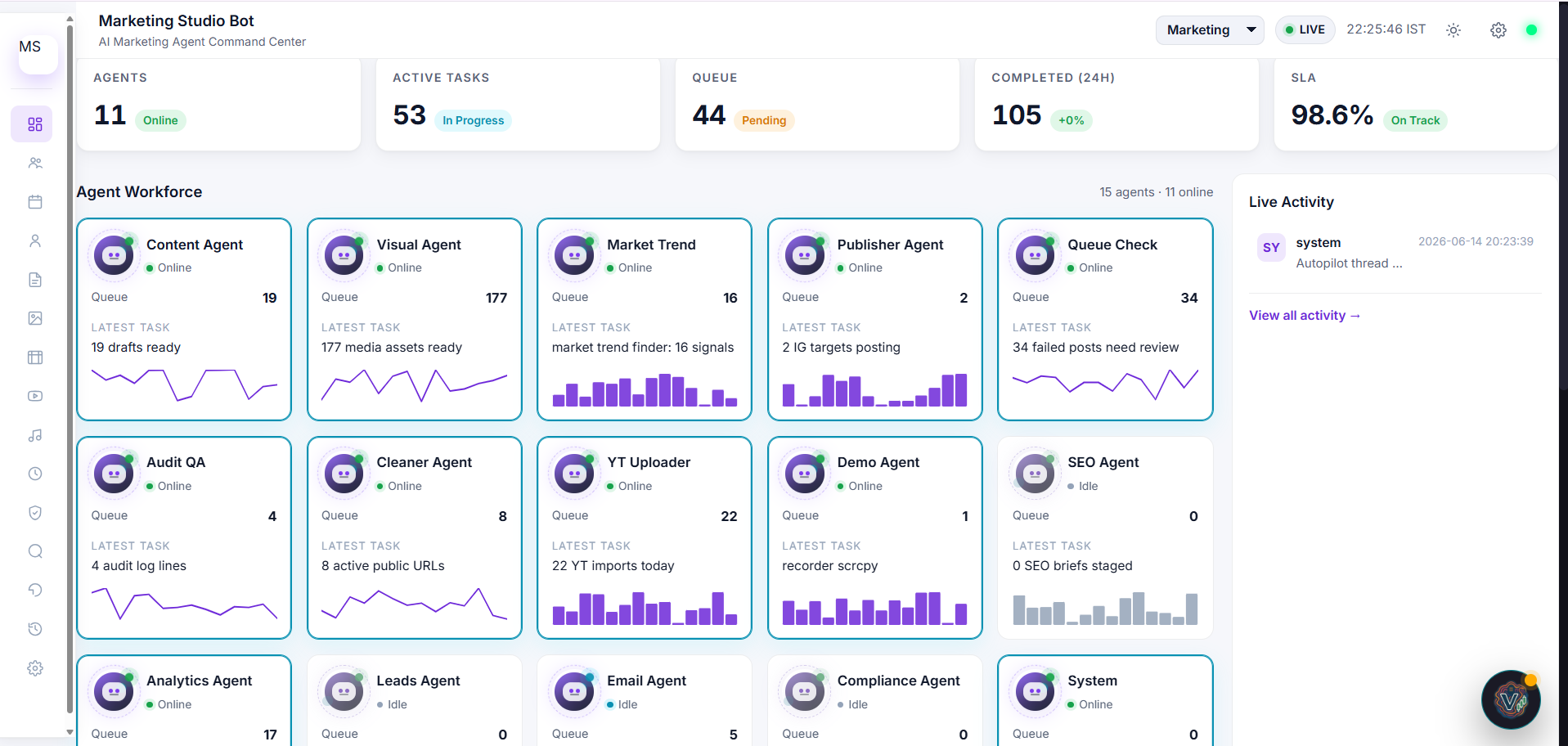
A look at the AI Command Center handling your week's job
Your side stays simple: request, approve, retry, and track status. Behind the scenes, the AI Command Center runs the planning, generation, audits, queue checks, cleanup, and publishing.
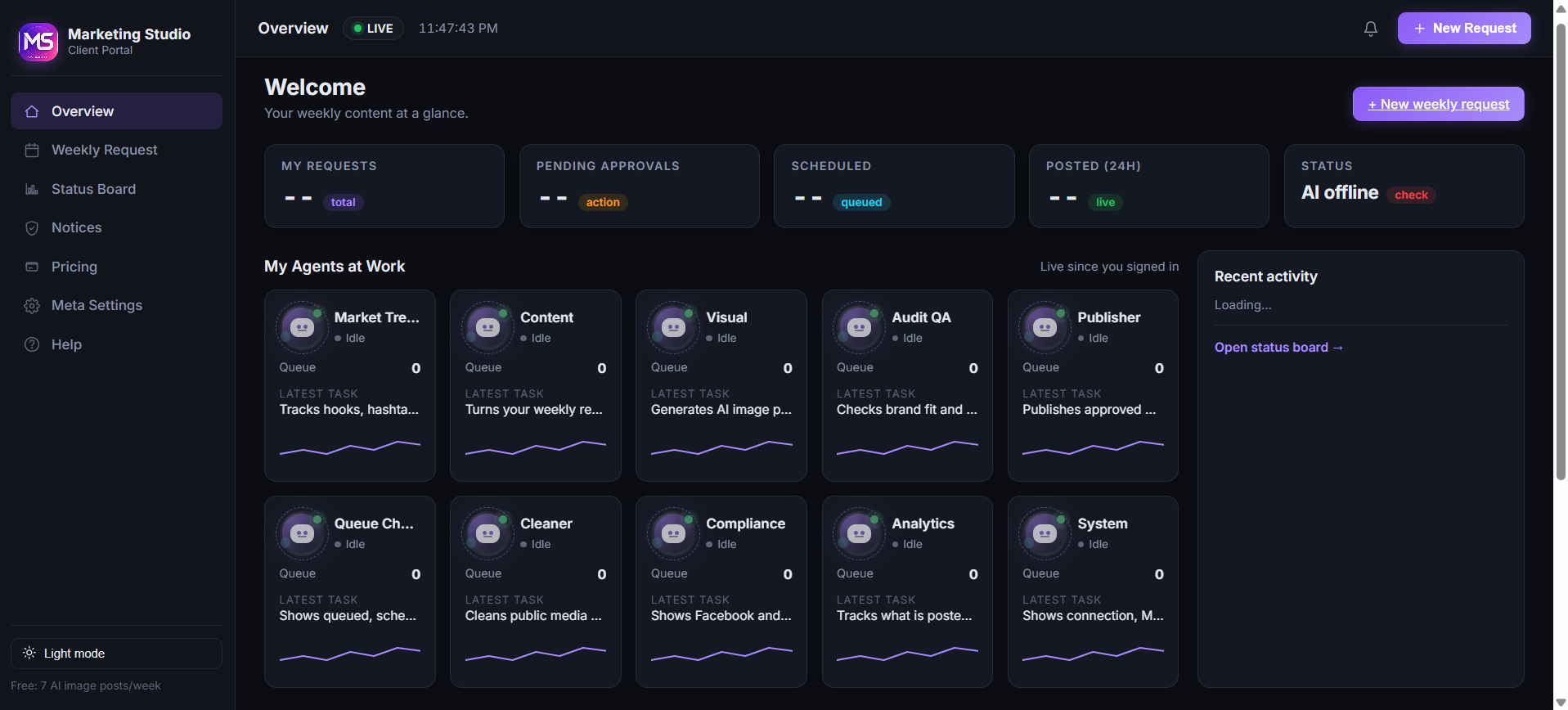
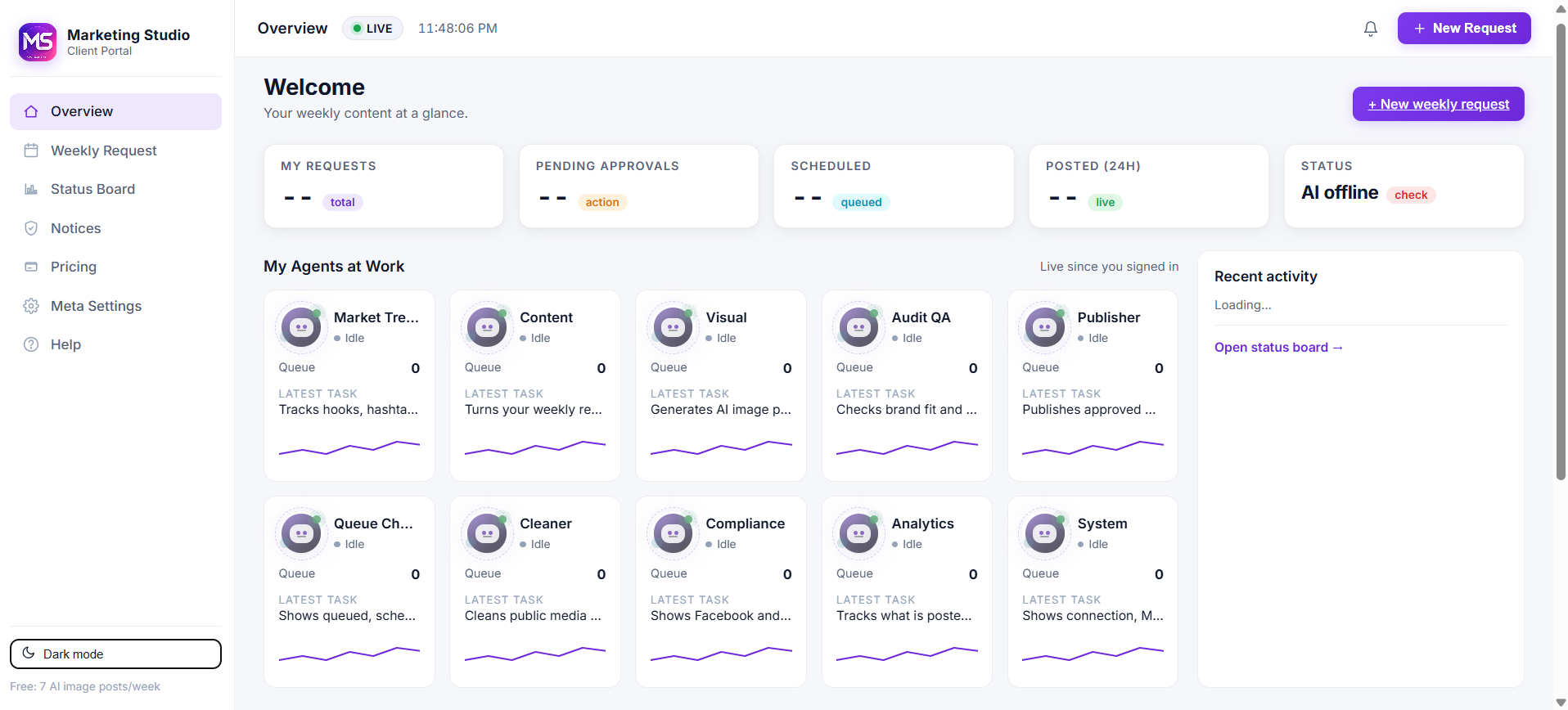
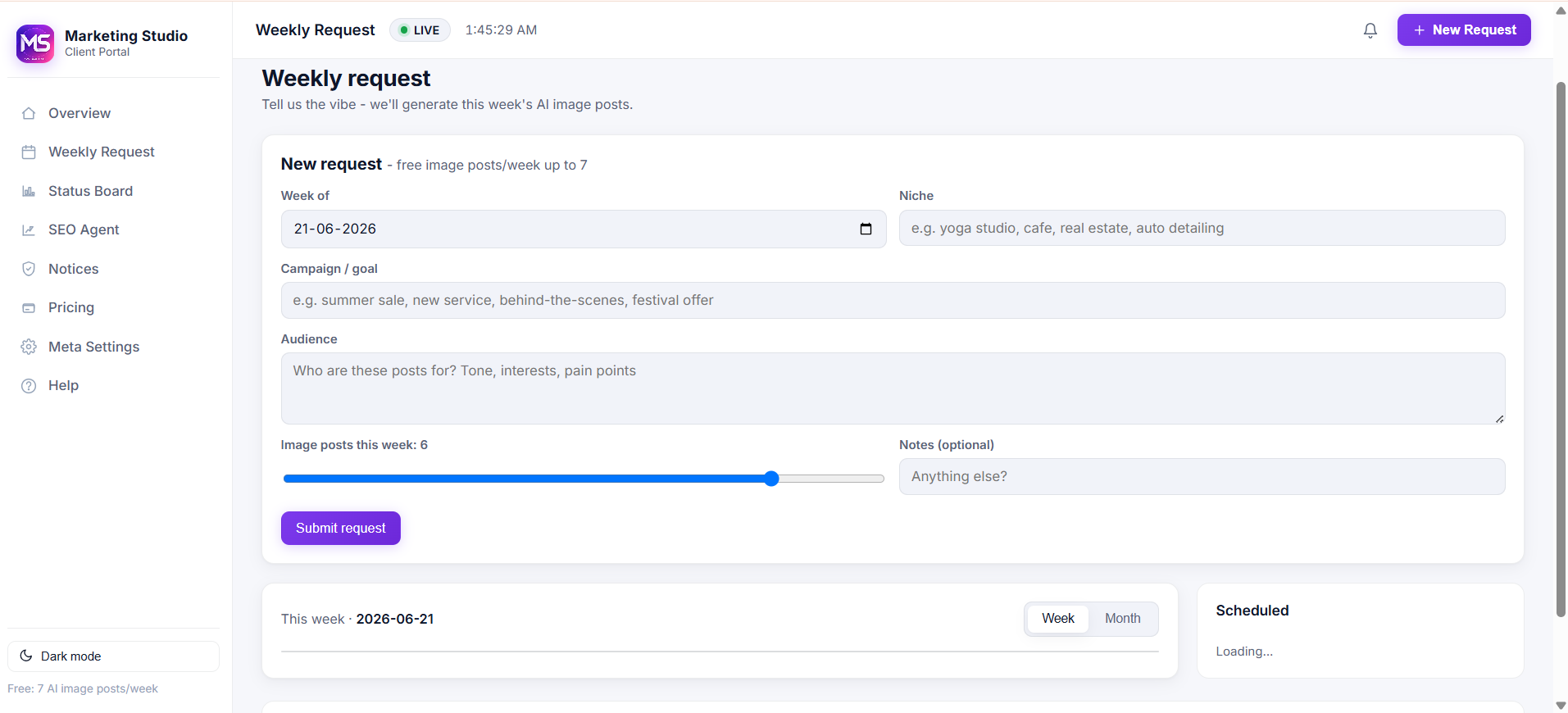
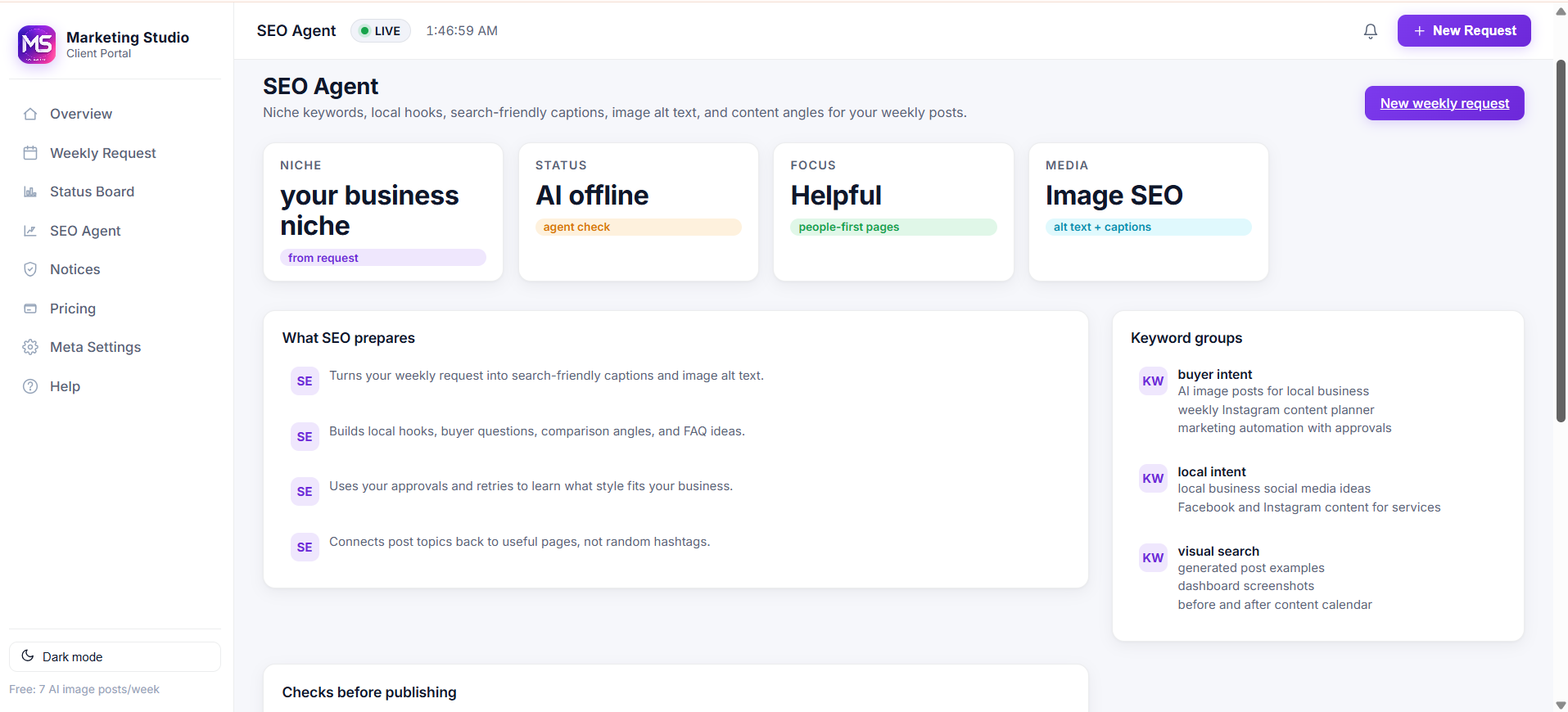
Your dashboard - dark themeRequest status, approvals, notices, agent health, and recent activity after login.Your dashboard - light themeThe same client portal in light mode, built for normal daily work.Weekly request - easy as 1, 2, 3Enter the week, niche, goal, audience, and post count. Submit once and you are done for the week.SEO Agent - niche discoveryThe AI prepares search-friendly captions, local hooks, keyword groups, and image alt text from your request.AI Command Center - backend viewThis is the owner-side system running the work: agents, queues, live activity, drafts, visuals, and publishing status.Client plannerYou choose the week, niche, campaign goal, and approvals from a clean planner screen.AI audit resultThe command center reads gaps, risk, and next actions before work moves into the queue.Server side - agent workforceAll 15 agents show live status: trend, content, visual, audit, publisher, queue, cleanup, leads, email, compliance, and system.
Your account isn't handed to a human. Ever.
Security is built into the architecture, not bolted on. No agency seats. No shared inbox. No human reviewers.
AES-256 sealed credentials
Your Instagram token is sealed in an encrypted AI workspace the moment you paste it. It is never displayed, never copied, never shared with any third party.
Compliance Watch AI
A dedicated AI watches every account. If Instagram, Facebook, or Meta reports a warning, token issue, restriction, or failed post, it appears on the Notices page with the exact post that triggered it.
Full audit log per request
Every action — generate, audit, schedule, post, retry — is timestamped and viewable in your dashboard. You can prove exactly what shipped on your behalf, when, and why.
One-click revoke
Tap "Disconnect Meta" in settings — the vault is zeroed in under 2 seconds, the AI stops, and nothing else can post. You stay in control.
Every post has a live status
You always know exactly where the AI is on each post.
QueuedGeneratingReady for approvalScheduledPostedFailed (auto-retries)
Welcome
Sign in to your client portal, or create a free account. The AI handles everything from here.